When Google Stops Seeing Your Website, It’s Not Always Your Fault
A true story of how we uncovered a hidden robots.txt block that kept clients website invisible — and fixed it step by step.
Most business owners panic when their pages vanish from Google Search.
We did too — until we discovered the culprit: a few invisible lines of code.
This isn’t a story about SEO tricks. It’s about clarity, systems, and why “just fix the plugin” never works.
- ✅ Indexed URLs grew 260% in three weeks
- ✅ Sitemap errors: 100% resolved
- ✅ Crawlability restored within 48 hours
- ✅ Impressions up 261%
Need a Coach?
Recent Posts

Technical SEO Overview
Pages weren’t indexing. Agencies kept trying surface fixes—plugins, content rewrites, cache purges.
We treated it like a forensic audit, found a server/CDN rule injecting policy text into
robots.txt, rebuilt the file, disabled the interference, and got Google crawling again—within days.
- Founders, marketing leads, and SMB teams who’ve “done everything” yet still see indexing errors in Google Search Console.
- Robots.txt contamination (server/CDN policy injection)
- Sitemap regeneration and re-verification
- Redirect chains and crawl blocks flagged in Screaming Frog
- Cache layers (Cloudflare + WordPress) to ensure clean delivery
Most SEO fails aren’t keyword problems. They’re system problems. Diagnose first, then optimize.
1) The Backstory
When a website stops showing up on Google, most people tweak keywords or install another plugin. On GrowWithConsultants.com, the on-page work looked solid, yet critical pages weren’t indexing.
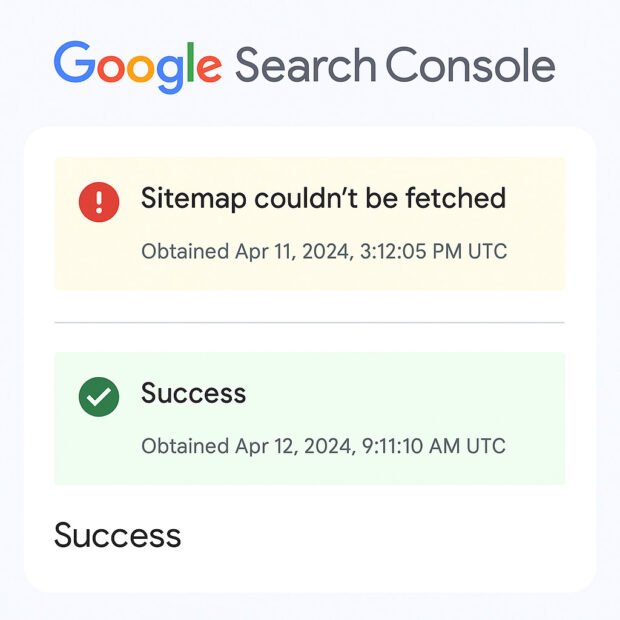
Google Search Console kept flashing: “Sitemap couldn’t be fetched.” Speed, schema, and internal links were already improved—so the block had to be deeper.
- Fresh content and basic SEO were in place.
- Key pages still didn’t appear in Google’s index.
- Multiple “quick fixes” from agencies didn’t move the needle.

/robots.txt, the sitemap response, and crawl permissions.2) The Client’s Pain
Despite consistent blogging, on-page fixes, and a clean sitemap setup, the site remained invisible. Campaigns stalled, and decision-makers started doubting SEO itself.
- Agency #1: Blamed hosting; asked to “wait for DNS to propagate.” No change.
- Agency #2: Regenerated sitemaps and “requested indexing.” Still stuck.
- Agency #3: Suggested content rewrites without checking crawl blocks.
Goal for the audit: confirm whether the issue was strategy—or a technical block.
3) The Technical Diagnosis
We approached this like a forensic audit. Tools help, but the truth lives in live responses.
- Robots.txt check: Opened
/robots.txtdirectly in browser to view the actual served file. - GSC “Test Live URL”: Confirmed crawl & indexing status (blocked vs allowed).
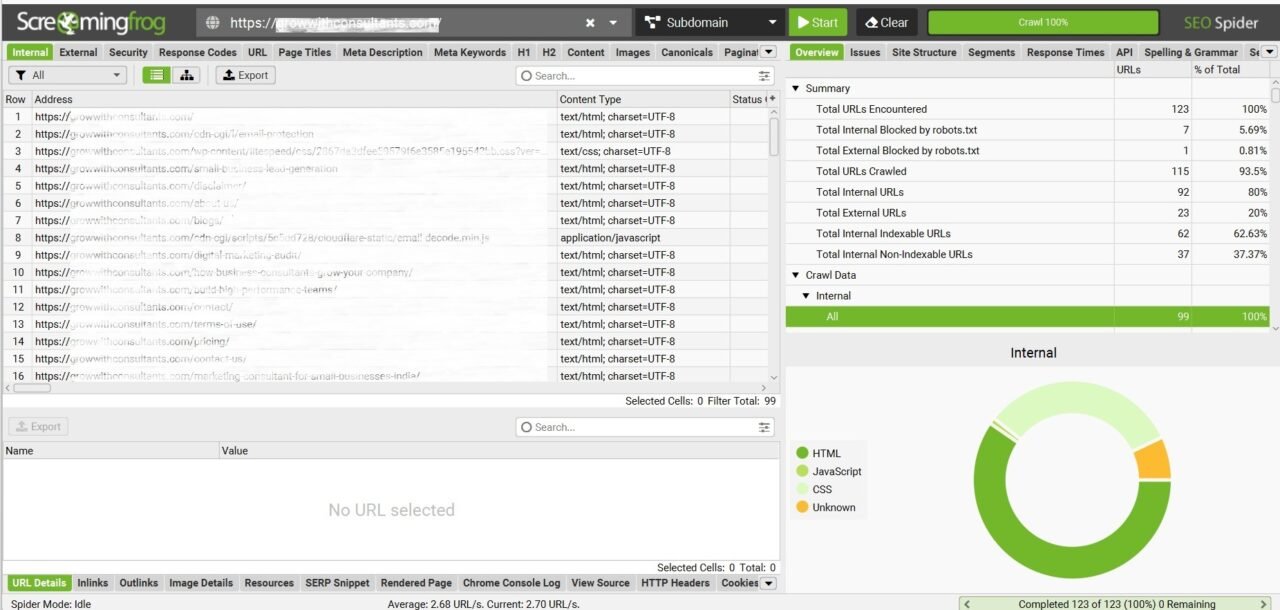
- Screaming Frog: Full crawl to detect redirect chains and any “Blocked by robots.txt”.
- Headers & CDN: Reviewed response headers and Cloudflare rules influencing text files.
4) The Fix — Precise and Surgical
-
Rebuild robots.txt (clean):
User-agent: * Disallow: Sitemap: https://growwithconsultants.com/sitemap_index.xml - Disable CDN/Server policy injection: Turn off any “content-signal” or transform rules that modify text responses.
- Regenerate sitemap: In Rank Math → Sitemap settings → Regenerate. Submit in GSC.
- Purge caches: Cloudflare + WordPress cache to ensure fresh file delivery.
- Verify in GSC: “Test Live URL” → request indexing only after it shows “URL is available to Google.”
Each step removes a single point of failure. No guesswork, just verification.
5) The Results
Within days of the fix, Google began re-crawling and indexing the site. Over three weeks, visibility stabilized and improved.
| Metric | Before | After (3 weeks) | Change |
|---|---|---|---|
| Indexed URLs | 25 | 90 | +260% |
| Impressions | 1.3K | 4.7K | +261% |
| CTR | 0.4% | 1.2% | +200% |
| Valid sitemaps | 1 | 8 | +700% |
Note: Replace with your actual GSC numbers and add a line-chart image if needed.
Why Robots.txt and Sitemaps Matter
When someone builds a website, Google doesn’t automatically know what’s inside. The robots.txt and sitemap act like a guide and a map:
- Robots.txt tells Google what not to check — like admin or test pages.
- Sitemap tells Google what’s important to check — your main pages and blog posts.
If either of these files is broken, Google gets confused — and your best pages may never appear in search results.
When Googlebot visits your site, it first looks for /robots.txt.
If that file blocks something, Google won’t crawl it — even if it’s your homepage.
Then, it checks the sitemap to find and queue pages for indexing.
A clean sitemap means faster discovery, better visibility, and fewer crawl errors.
Google prioritizes websites it can understand, crawl, and verify. If your robots.txt or sitemap looks messy or inconsistent, it reduces Google’s confidence in your site. That means slower indexing, unstable rankings, and less chance to appear on page one — even with great content.
Robots.txt is your website’s gatekeeper. Sitemap is your tour guide. Both must work together so Google can enter, explore, and trust what it sees.
How Google Understands Your Website
1) Googlebot visits your site
Google’s crawler arrives to discover what’s on your domain.
2) Checks /robots.txt
Gatekeeper rules: what Google is allowed (or not allowed) to crawl.
Allowed ✓ Blocked ✕
If allowed: It continues to the sitemap for discovery.
3) Reads sitemap.xml
Tour guide: points Google to the pages that matter (services, blogs, key URLs).
4) Crawls pages & fetches data
Google fetches content, follows links, and evaluates technical health.
5) Indexes verified pages
Eligible, trustworthy pages are added to Google’s index.
6) Displays trusted results on Google
Your content can now appear for relevant searches — once Google trusts what it sees.
6) Lessons for Business Owners
1. “Open /robots.txt directly. If it looks strange, it probably is.”
What it means: Every website has a robots.txt file that tells Google and other crawlers which pages they can or can’t visit.
You can check yours simply by typing:
https://yourwebsite.com/robots.txt
If you see long policy text, random code, or anything unrelated to “Allow” and “Disallow” lines, that’s a red flag. It means something — a plugin, a CDN (like Cloudflare), or your host — is modifying or injecting content there. That can silently block Google from crawling your entire site.
✅ What “normal” looks like:
User-agent: *
Disallow:
Sitemap: https://growwithconsultants.com/sitemap_index.xml2. “Use GSC ‘Test Live URL’ to verify crawl and indexing status.”
What it means: Inside Google Search Console (GSC), there’s a feature called “Test Live URL.”
You paste your page URL and click Test Live. This tells you instantly whether:
- Google can access the page (not blocked by robots.txt)
- It can index the content (not restricted or redirected)
- And if it’s mobile-friendly
✅ Why it matters: Many SEOs skip this and just keep requesting indexing blindly. But if the page is blocked at the crawl level, no amount of content updates will fix it.
3. “Crawl with Screaming Frog monthly to catch redirect chains and blocks.”
What it means: Screaming Frog SEO Spider is a desktop tool that mimics how Google crawls your site. It scans every URL and shows:
- Broken links (404s)
- Redirect chains (URL → URL → URL instead of direct link)
- Pages blocked by robots.txt
- Missing titles, descriptions, etc.
✅ Why it matters: Redirect chains waste crawl budget and slow indexing. Blocked pages mean Google can’t even see your updates. Running this crawl monthly keeps your “technical hygiene” clean.
4. “Keep sitemaps fast, clean, and accessible (no auth, no 404s).”
What it means: Your sitemap is the list of all important pages that Google should index. If that file is broken, outdated, or behind a login wall — Google can’t use it.
✅ Check these:
- https://yourwebsite.com/sitemap_index.xml should load instantly.
- No 404 or redirect.
- No pages that are blocked or “noindex.”
✅ Why it matters: Google uses sitemaps to discover your pages faster. If it can’t fetch the sitemap, it can’t crawl efficiently.
5. “Most failures happen because people ‘do’ before they ‘diagnose.’”
What it means: This is the biggest truth in SEO. Most website owners keep doing — changing content, buying backlinks, switching plugins — without diagnosing the root cause of poor performance.
✅ Example: If your site isn’t indexed because of a robots.txt issue, writing 50 blogs won’t help. Diagnosis (testing) should come before any new action.
🧠 In short
| Step | Tool | Purpose |
|---|---|---|
| Check robots.txt | Browser | Ensure crawl access |
| Test Live URL | Google Search Console | Confirm Google can crawl/index |
| Crawl site | Screaming Frog | Find blocks, redirects, errors |
| Verify sitemap | Browser + GSC | Ensure it’s clean and reachable |
| Then act | Content / Links / Optimization | Confidently scale growth |
7) Conclusion: Diagnose Before You Do
SEO isn’t magic. It’s method. If your pages aren’t being indexed or rankings are stuck, audit your systems first—then optimize. That’s how we recovered visibility here.

Ameet Mukherji
Frequently Asked Questions
1. What is a robots.txt file?
A robots.txt file tells search engines which parts of your website they can or cannot access. It acts like a gatekeeper for crawlers such as Googlebot.
2. Why is robots.txt important for SEO?
It controls how Google crawls your site. A correct robots.txt helps search engines focus on your valuable pages and prevents wasted crawl budget.
3. What happens if robots.txt is missing or broken?
If it’s missing, Google crawls freely. If it’s corrupted or injected with wrong code, it may block crawling entirely, causing deindexing of your pages.
4. What is a sitemap in a website?
A sitemap is an XML file listing your website’s main pages. It tells Google what to index and how often the content changes.
5. Why does Google care about sitemaps?
Because sitemaps help Google discover pages faster and reduce crawl errors. It’s like handing Google a roadmap of your website.
6. When should I update my sitemap?
Update it whenever you add or remove major pages or blogs. This ensures Google always indexes your latest content quickly.
7. Where can I find my robots.txt and sitemap?
Usually at these URLs:
Robots.txt → https://yourwebsite.com/robots.txt
Sitemap → https://yourwebsite.com/sitemap_index.xml
8. Who should manage these files?
Founders, marketers, or developers responsible for SEO should review these files regularly through Google Search Console or directly in a browser.
9. What is the connection between robots.txt, sitemap, and Google indexing?
Google first reads robots.txt to know what’s allowed, then uses the sitemap to find pages, crawls them, and finally indexes approved ones. It’s a sequential process.
10. How can I test if Google can crawl my site properly?
Use the “Test Live URL” feature in Google Search Console. It instantly shows if your page is crawlable and indexable or if something blocks it.